Controls at a glance
Keyboard
Tab to the board, arrow keys move between cards, Enter or Space flips. P pauses, R restarts.
Touch screen
Tap a card to flip it, then tap a second card. Pick Easy, Medium or Hard above the board.
How to play Pair Pop
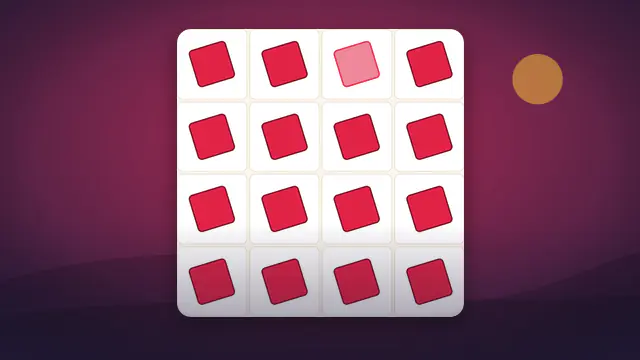
Pair Pop is a memory card game. Every card hides a small picture, and every picture appears on exactly two cards. On each turn you flip two cards. If the pictures match, the pair stays face up. If they do not, both cards flip back down after a short pause, and you have to remember what you just saw.
Pick a difficulty before you start: Easy has twelve cards, Medium has sixteen and Hard has twenty-four. The timer begins on your first flip, and each pair of flips counts as one move. The game ends when every pair has been found.
Scoring and stars
Your score is the number of moves, and fewer is better. Time is shown for fun, but it never changes your result. Your best is saved separately for each difficulty, so a good Easy run never hides a weak Hard one.
- Three stars when you finish in no more than one and a half moves per pair.
- Two stars for up to about two moves per pair, and one star for anything slower.
- A perfect run, where every flip lands on a match, earns the perfect achievement.
Daily challenge, streaks and friends
In Daily challenge mode the shuffle is the same for everyone on a given date, so the card positions are identical and you can fairly compare move counts with friends. Finishing the daily board on consecutive days builds your streak. Free play deals a new random layout every time.
When a run ends you can copy a friend challenge link. It contains the seed of your board and your move count, so whoever opens it gets exactly the same layout and can try to beat you. Your progress is saved locally in your browser, with no account needed.
Controls
- Mouse or touch: click or tap a card to flip it.
- Keyboard: press Tab to reach the board, use the arrow keys to move between cards, and press Enter or Space to flip.
- Pause hides the board and stops the timer. Restart deals a new game on the current difficulty.
- Switching difficulty always begins a fresh game, and your choice is remembered for next time.
Tips and strategy
- Use your first flips to scout. Early mismatches are not wasted if you remember where each picture sits.
- Think in positions, such as top row second from the left, and repeat them quietly to yourself.
- When you flip a card you have seen before, immediately flip its partner from memory.
- On Hard, work through one corner of the grid at a time so the area you need to remember stays small.
- Do not rush. Moves decide your score, not speed, so take a breath before each second flip.
Frequently asked questions
What counts as a move?
Each time you flip a second card, that pair of flips is one move, whether or not they match.
Does the timer affect my best score?
No. Your best is the lowest number of moves for each difficulty. Time is shown just for fun.
Can I play with only a keyboard?
Yes. Every card is a real button, so Tab, the arrow keys, Enter and Space all work.
Why do the cards look different each time?
Each game picks a set of pictures and shuffles them. In free play the layout is random, while the daily challenge uses the same layout for everyone that day.
Is my progress saved?
Yes, in your browser on this device: bests per difficulty, stars, streaks and your chosen level. Clearing site data removes them.