Controls at a glance
Keyboard
Tab to a picture, arrow keys move a crosshair, Enter or Space taps there. P pauses, R restarts.
Touch screen
Tap the spot where the two pictures differ, in either picture.
How to play Spot the Difference
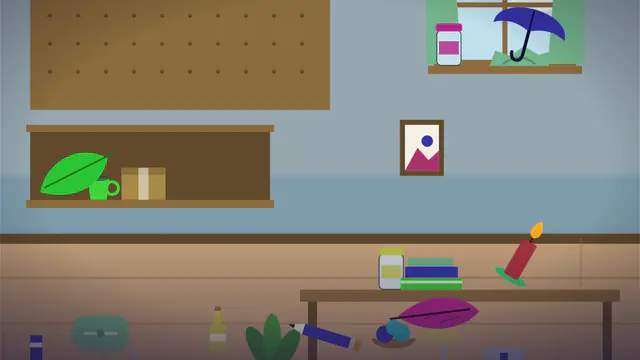
You see two versions of the same room, drawn in vector graphics. The second one has been altered in a few places, and your job is to find every change. Tap or click a difference in either picture and it is marked in both, and a counter shows how many you have found, for example 3 of 6. Find them all before the timer ends to win the level.
The pictures stack on narrow screens and sit side by side on wider ones. Rooms are generated from a seed, so the same seed always gives the same pair.
Kinds of changes
Level 1 has 5 differences and level 30 has 8. The changes come in several kinds:
- a colour change
- an item removed
- an item moved
- an item resized
- an item added
- an item flipped or rotated
Early levels use large, obvious changes. Later levels make them smaller and subtler. Use the Previous and Next level buttons to move around. Your level is remembered on this device, and winning a level in free play moves you up to the next.
Scoring and stars
Each difference is worth 100 points, plus a time bonus of up to 50 points per difference, scaled by the time remaining. A hint costs 40 points and each wrong tap costs 15. The timer runs for about 150 to 160 seconds depending on the level.
- 1 star: find every difference in time.
- 2 stars: also use at most 1 hint, make at most 5 wrong taps and finish with at least 25 percent of the time left.
- 3 stars: use no hints, make at most 2 wrong taps and finish with at least 40 percent of the time left.
A run without hints earns the no hints achievement, and a run without wrong taps earns the perfect achievement.
Controls and hints
- Touch and mouse: tap or click the spot where the pictures differ.
- Keyboard: arrow keys move a crosshair, and Enter or Space taps at its position.
- P pauses, R restarts, and a button toggles sound.
You have 3 hints per run, with a short cooldown between uses. A hint circles one difference you have not found yet, using a region larger than the change itself, so you still need to look closely.
Daily challenge and friend challenges
Free play uses a random seed at the level you pick. The daily challenge uses today's seed at a fixed medium level (level 15), identical for everyone, and playing it on consecutive days builds a streak. When a run ends you can copy a friend-challenge link, which replays the same seed at level 15 so you can compare results on the same pair of pictures.
Tips for spotting changes
- Work in zones. Compare one quarter of the room at a time instead of glancing at the whole picture.
- Check the big furniture first, then the small items on and around it.
- Missing and added items are easiest to catch by counting objects on each shelf or surface.
- Colour changes can be slight, so compare matching objects one by one.
- Avoid random tapping. Wrong taps cost 15 points each and can cost you a star.
Progress is stored only on your device. The game is free and needs no sign-up.
A game, not a vision test
Spot the Difference is a game for fun. It is not a medical or vision test and cannot detect or diagnose any eye condition. If you have eye strain, headaches or any concern about your vision, see an eye care professional.
Frequently asked questions
Is Spot the Difference free?
Yes. It is free to play in your browser with no sign-up and no download.
Is this a vision test?
No. It is a game only, not a medical or vision test. If you have eye strain or vision concerns, see an eye care professional.
How many differences are there?
Level 1 has 5 differences and level 30 has 8. Tapping a difference in either picture marks it in both.
Where is my progress saved?
Your level, best scores and streak are saved only on this device. Clearing site data resets them.
Can I play with the keyboard?
Yes. Use the arrow keys to move a crosshair and press Enter or Space to tap at it. P pauses and R restarts.